Manage all your fiscal devices from one dashboard
Keep every cash register across every location online, compliant and under control. Remote configuration, real-time alerts and audit-ready reports, all from your phone.

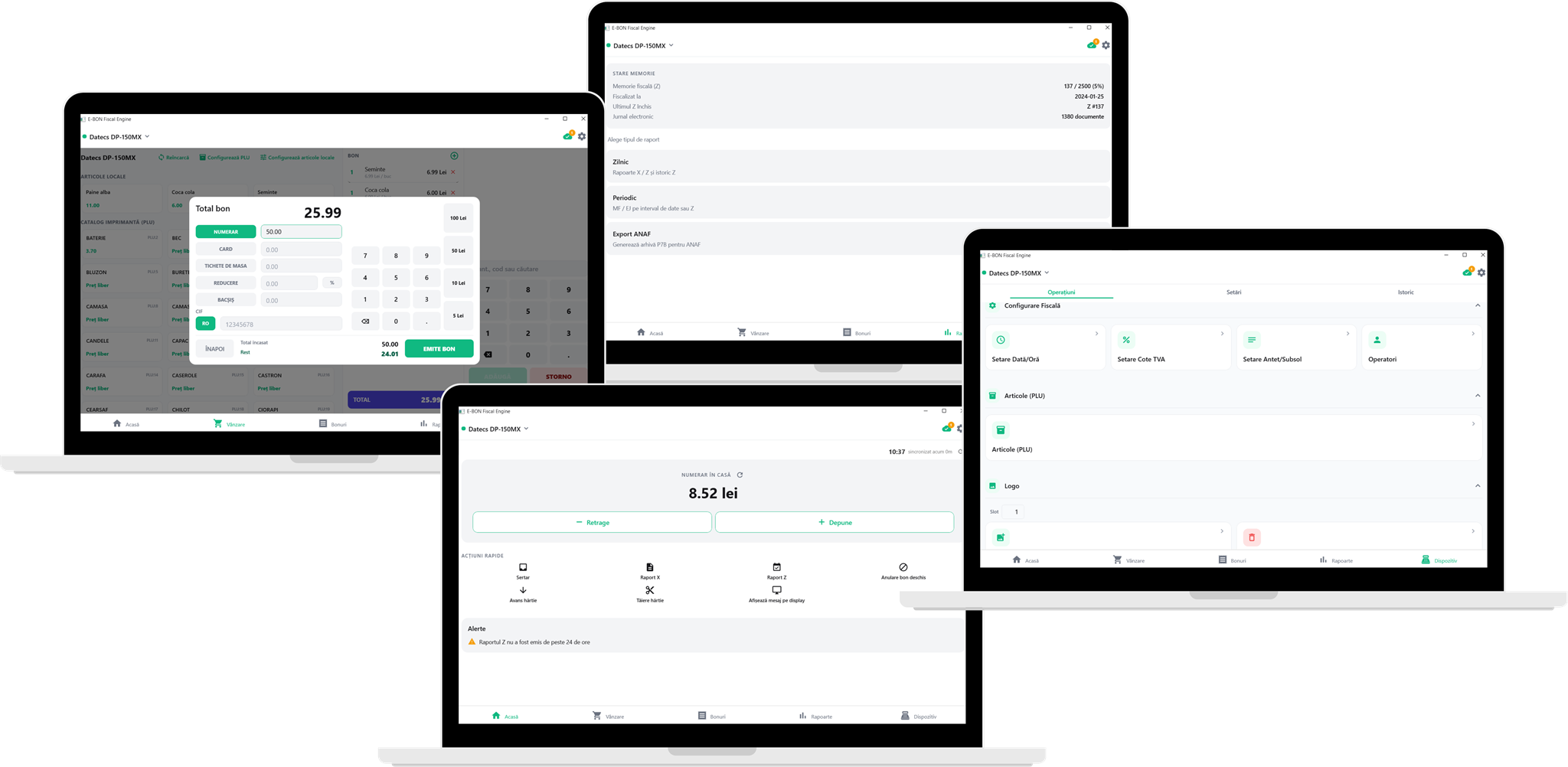
Free fiscal driver + selling software in E-BON
E-BON isn't just for monitoring. Sell straight from the app, receipt after receipt, even without internet. When the connection is back, everything syncs to your account.
- Issue fiscal receipts straight from the app
- Selling never stops, even offline
- On Android and Windows
- Compatible with other POS selling systems
Up and running in minutes
No IT team, no long setup. Three simple steps and your devices are under control.
- 1
Create your account
Sign up in under a minute. Free plan included, no credit card required to get started.
- 2
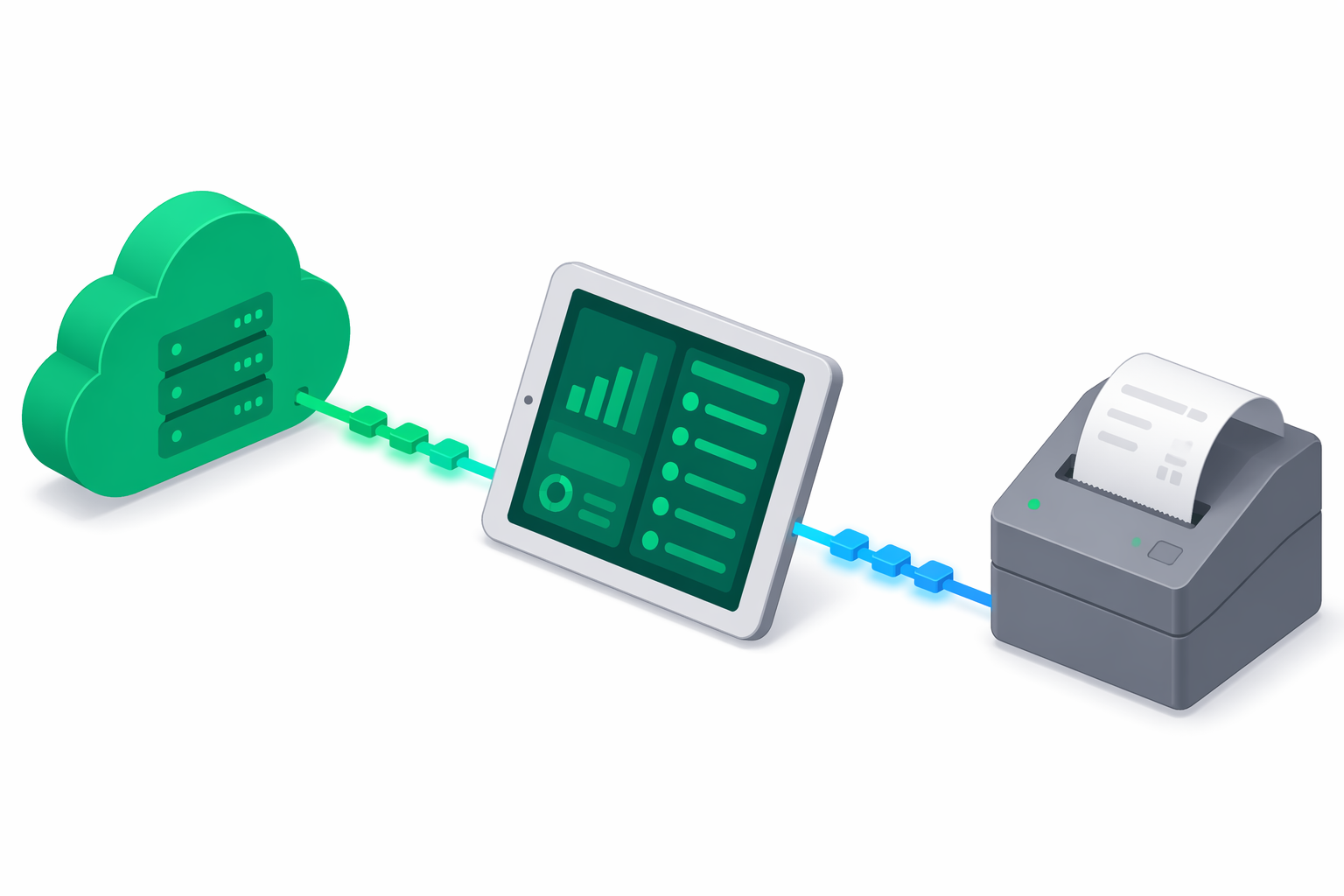
Connect your devices
Install the E-BON app and pair your fiscal devices via Bluetooth, network cable or USB.
- 3
Manage from anywhere
Monitor status, get alerts and export reports from your dashboard: phone, tablet or laptop.
Everything you need to run your fiscal devices
Built for business owners, not IT teams. Simple enough for one shop, powerful enough for a chain.
Remote configuration
Update settings on any device from your phone, no technician visit.
Real-time alerts
Get notified instantly when a device goes offline, runs out of paper or misses a report.
Compliance reports
X and Z reports on demand, plus ANAF export downloads on supported devices, straight from the device's fiscal memory.
Multi-location overview
See every device across every location on one screen. Status and issues, at a glance.
Easy onboarding
Add a new device in minutes: the app finds it on your network or USB and you just confirm. No serial numbers to type.
Receipt management
Track every fiscal receipt in one place. Filter, review and export whenever you need them.
See the product, not the pitch
Real screens from the portal and the fiscal engine app.
Remote device operations
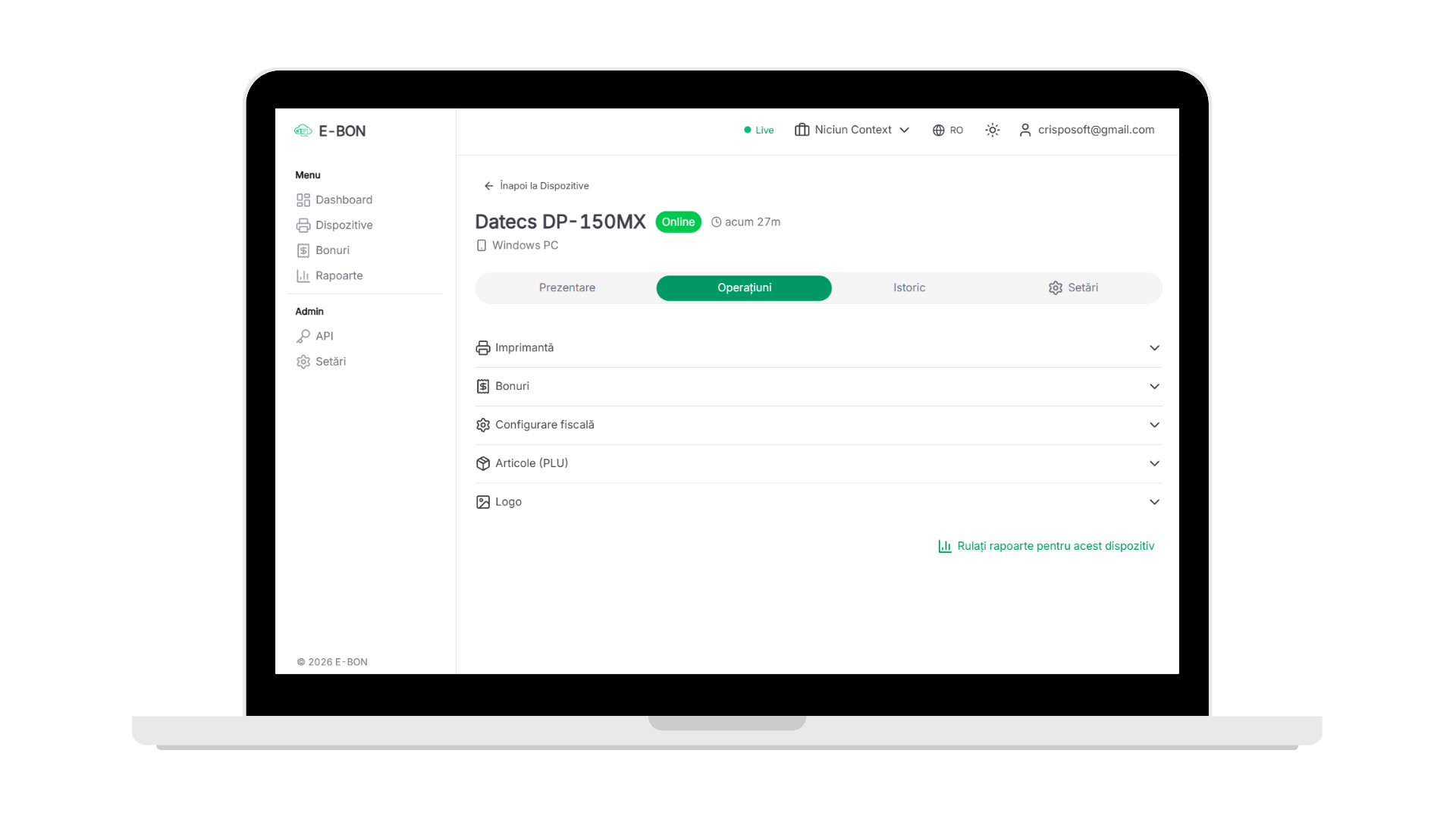
Run X/Z reports, reprint receipts, configure fiscal data and PLU articles on any printer, from anywhere. Commands leave the portal and reach the device instantly through the fiscal engine app, and if it is offline they are queued and executed automatically on reconnect. You track every operation's status in real time, right on the device page.
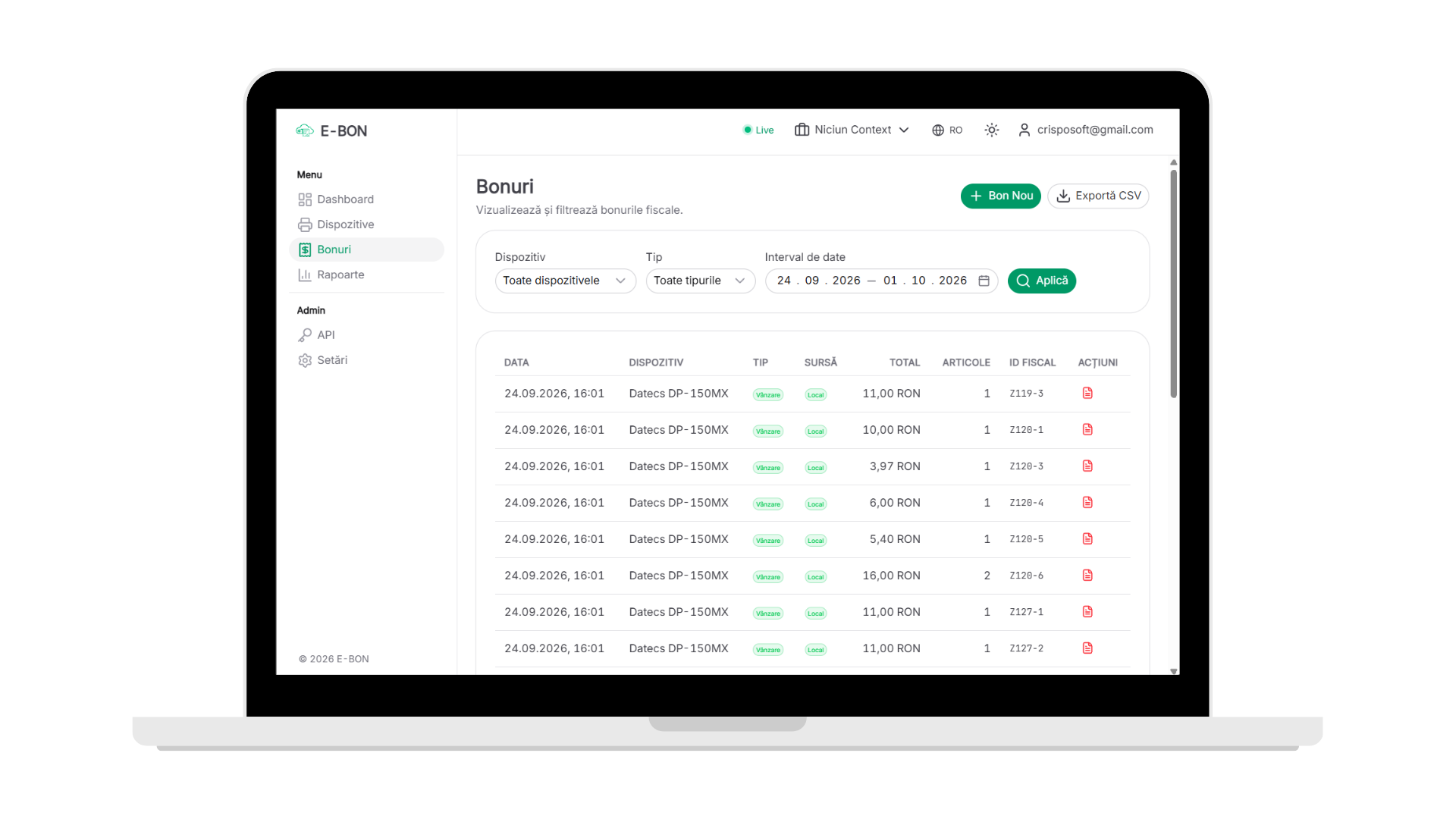
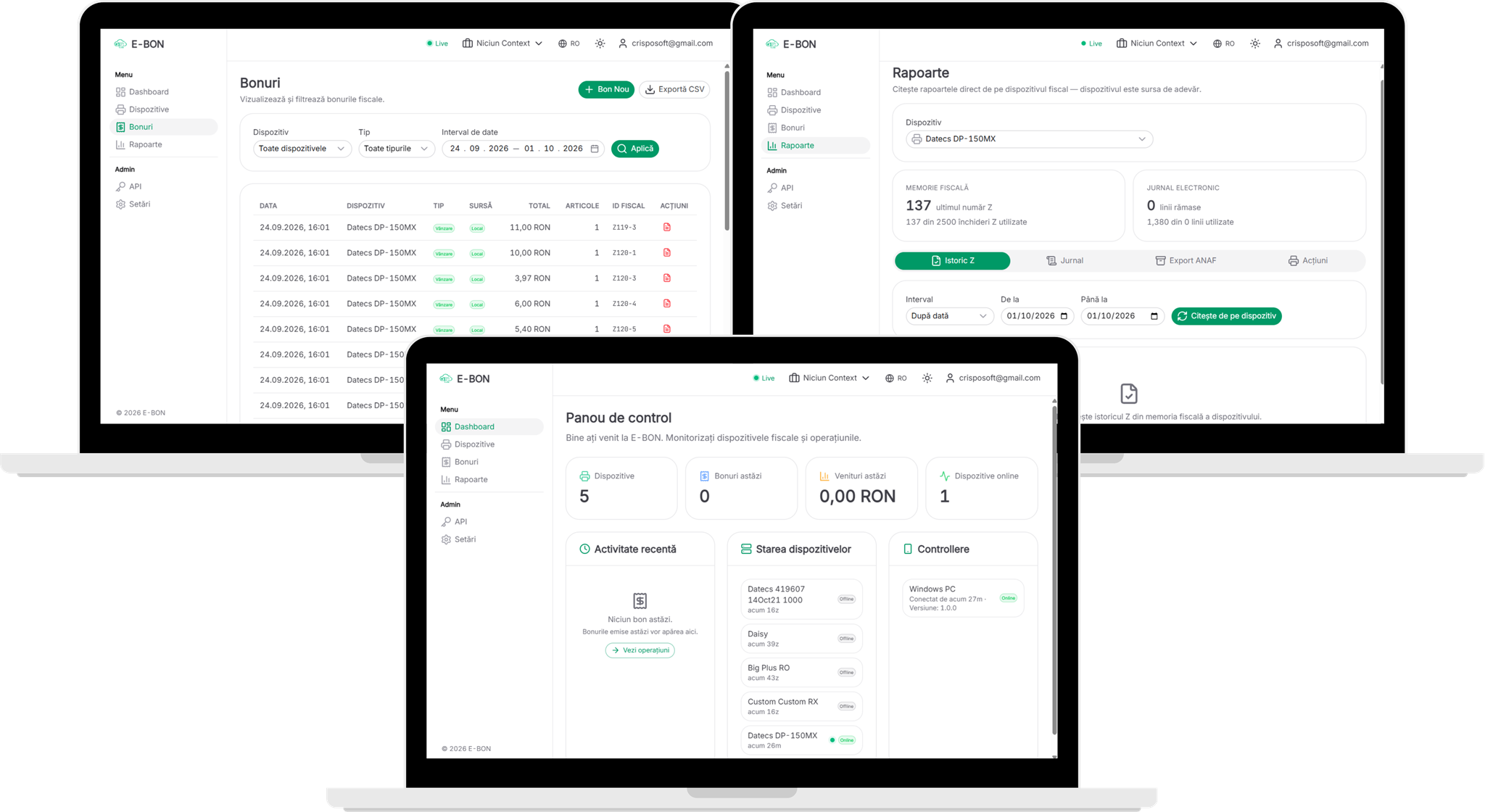
Every receipt, one list
Every issued receipt lands in the portal automatically, no matter which location or register printed it. Filter by device, type or date, check the VAT breakdown on each receipt and export everything to CSV, ready for accounting.
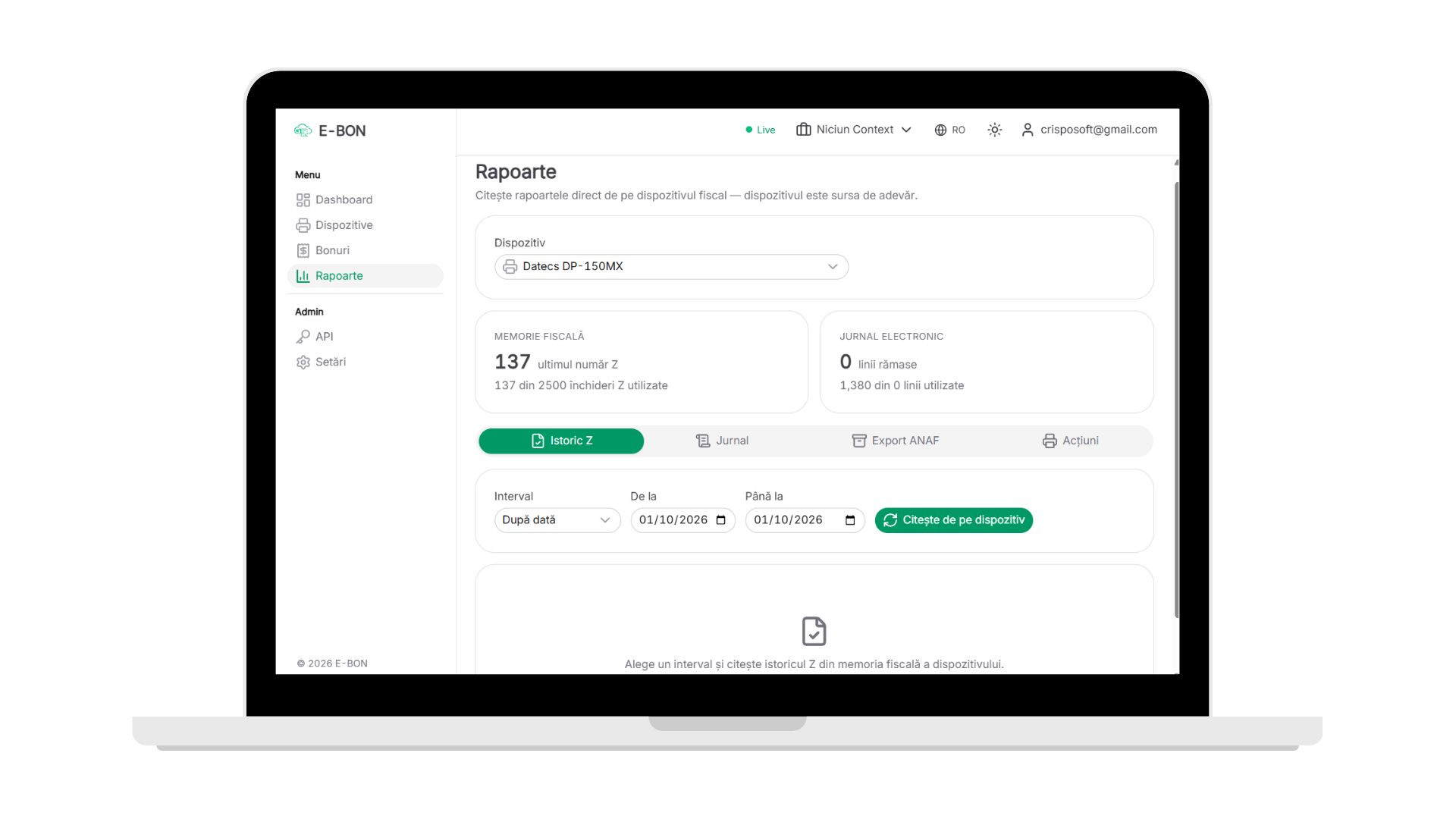
Reports straight from the device
Z history, electronic journal and the signed ANAF export, read live from fiscal memory, not from a copy. Pick an interval, the device answers on its own and you download a file ready to submit. The same page shows how much fiscal memory and how many journal lines remain available.
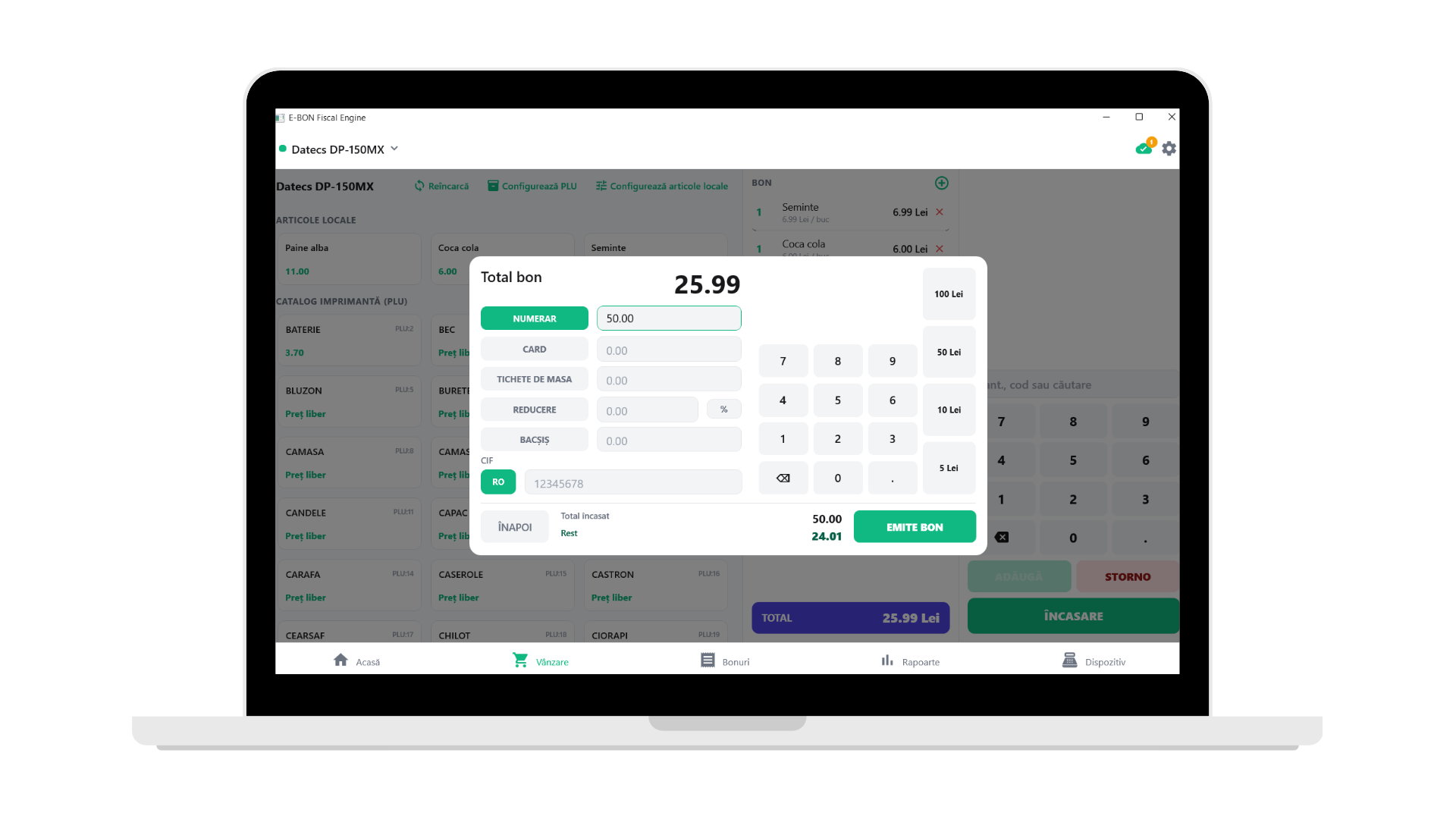
Fast checkout
Cash, card or meal vouchers, with change calculated on the spot. Apply discounts and tips, add the customer CIF when needed and issue the fiscal receipt in seconds, straight from the phone.
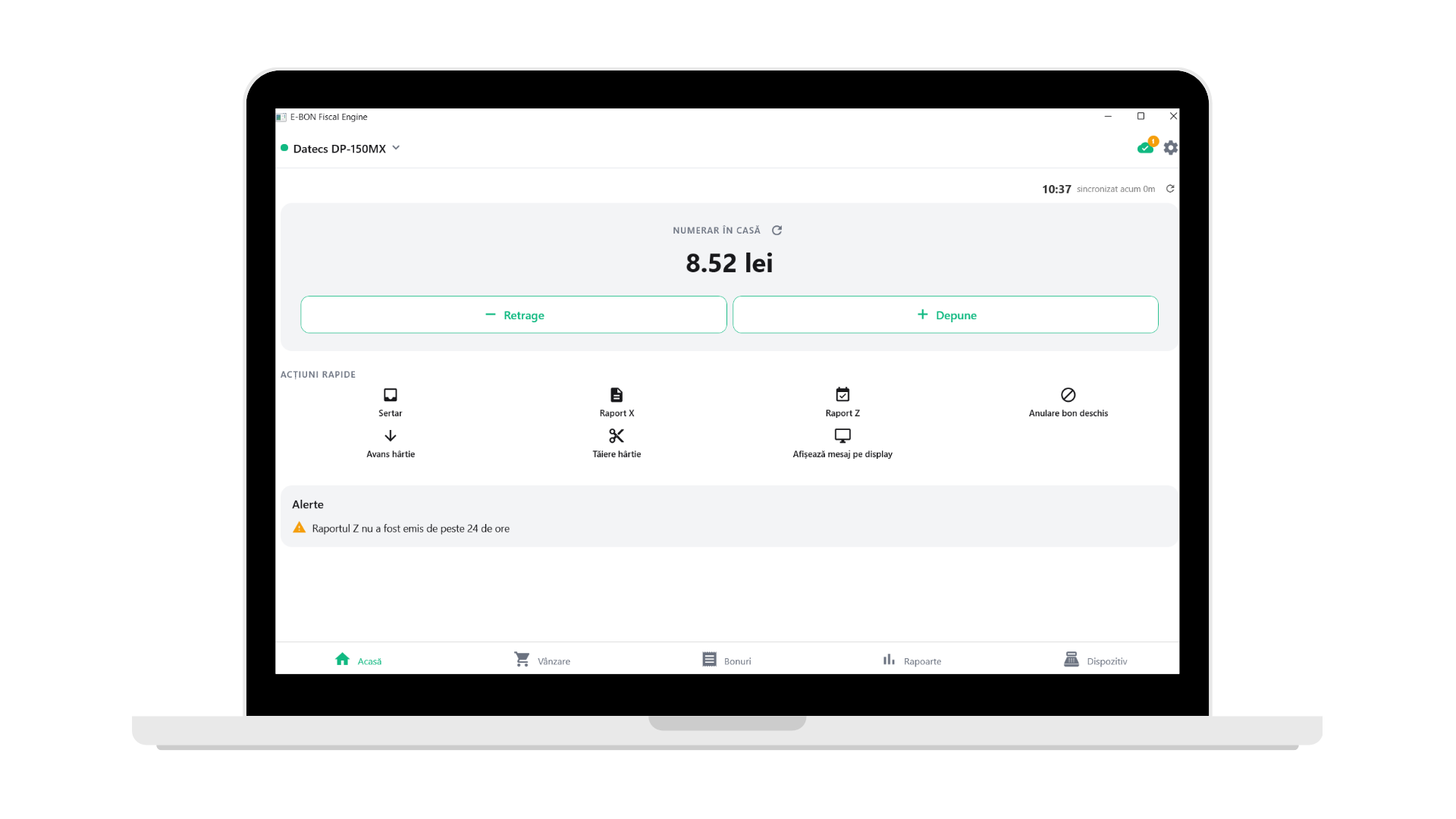
The till at a glance
See the cash in the drawer at a glance and record withdraws and deposits from the start of the shift to the final count. Quick fiscal actions are one tap away, and if the Z report runs late the app warns you before it becomes a problem.
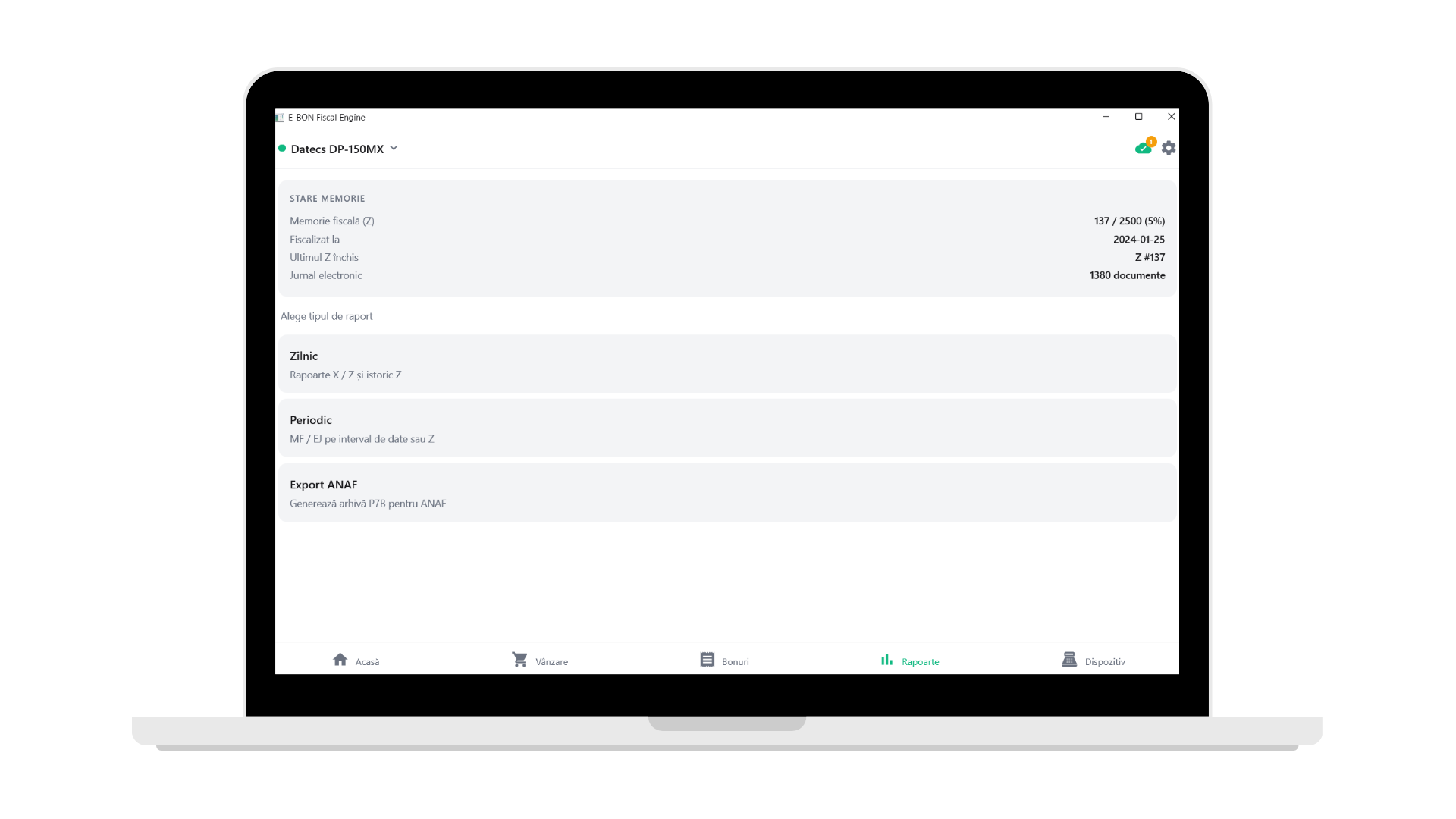
Daily close, zero drama
Daily X/Z, periodic MF/EJ range reports and the ANAF P7B archive, all from one screen. Fiscal memory status is always visible, so you know well in advance when replacement time is approaching.
Whatever you sell, we keep you compliant
From a single café to a national chain, E-BON scales with your business.
Restaurants & hospitality
Keep every register in every room online during the rush. Real-time alerts before a shift is disrupted.
Retail
Track sales and fiscal receipts across your stores. One clean view of the whole business.
Multi-location businesses
Manage devices across towns or regions from a single dashboard. Less driving, fewer surprises.
Ready to simplify your fiscal management?
Start today and stop worrying about your fiscal devices.
No credit card required. Cancel anytime.