API Documentation
Integrate E-BON into your POS system in minutes
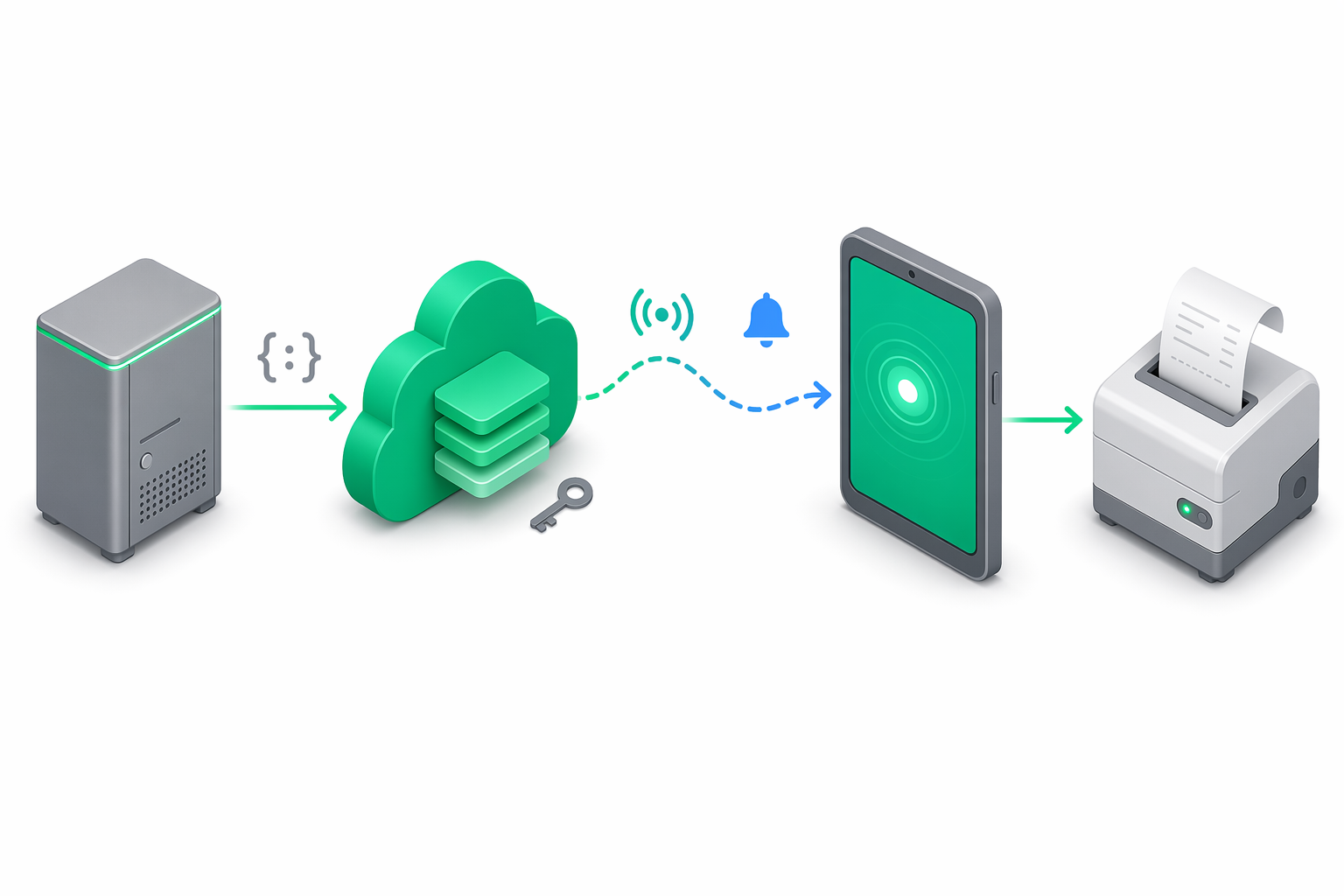
Integration in 3 steps
From your first API key to your first fiscal receipt — in less than 5 minutes.
Get the API key
Create an account and generate an API key from the portal with the required scopes.
curl -X POST https://api.e-bon.ro/api/v1/org/api-keys \
  -H "Authorization: Bearer <JWT_TOKEN>" \
  -H "Content-Type: application/json" \
  -d '{
    "label": "POS Principal",
    "scopes": ["devices:read", "commands", "receipts"]
}'Connect the device
Register the cash register specifying the protocol and connection parameters.
curl -X POST https://api.e-bon.ro/api/v1/devices \
  -H "x-api-key: ebon_live_abc123..." \
  -H "Content-Type: application/json" \
  -d '{
    "name": "Casa 1 - Datecs FP700",
    "driver": "datecs.isl",
    "transport": "tcp",
    "connectionParams": {
      "host": "192.168.1.100",
      "port": 4999
    }
}'Issue the first receipt
Send a fiscal receipt print command to the connected device.
curl -X POST https://api.e-bon.ro/api/v1/commands \
  -H "x-api-key: ebon_live_abc123..." \
  -H "Content-Type: application/json" \
  -d '{
    "deviceId": "dev_01",
    "type": "print_receipt",
    "payload": {
      "items": [
        { "name": "Cafea", "quantity": 2, "price": 12.50, "vatGroup": "VAT1", "department": 1 }
      ],
      "payments": [{ "method": "cash", "amount": 25.00 }]
    }
}'Authentication
Two authentication methods: API keys for POS integrations and JWT for the web portal.
API Key
Recommended for POSSend the API key in the x-api-key header with every request. Keys have granular scopes that control resource access.
curl -X GET https://api.e-bon.ro/api/v1/devices \
  -H "x-api-key: ebon_live_abc123..."
JWT Bearer Token
Web portalObtain a JWT token via POST /api/v1/auth/login and send it in the Authorization.
curl -X GET https://api.e-bon.ro/api/v1/org \
  -H "Authorization: Bearer eyJhbGciOiJSUzI1NiIs..."
Available scopes
Each API key has a set of scopes that control resource access.
Endpoints
All E-BON API endpoints, grouped by resource. Base URL: https://api.e-bon.ro
Auth
/api/v1/authRegistration, authentication and JWT token refresh.
Devices
/api/v1/devicesFull CRUD for fiscal cash registers (AMEF) connected to the platform.
Receipts
/api/v1/receiptsStorage and querying of fiscal receipts with cursor-based pagination.
Commands
/api/v1/commandsSend fiscal commands asynchronously via WebSocket to devices.
Reports
/api/v1/reportsGenerate fiscal reports: X (totals), Z (end of day), JE, MF.
Format
JSON / UTF-8
Transport
HTTPS required
Rate Limit
300 req/min per IP (default)
SDKs and tools
Accelerate integration with official SDKs, Postman collection or the OpenAPI specification.
TypeScript SDK
Coming soonTyped client with auto-complete, Zod validation and automatic retries.
Postman Collection
AvailablePre-configured collection with all endpoints and environment variables.
import { EBonClient } from '@e-bon/sdk';

const client = new EBonClient({
  apiKey: 'ebon_live_...',
});

// Listează dispozitivele
const devices = await client.devices.list();

// Emite un bon fiscal
const command = await client.commands.send({
  deviceId: 'dev_01',
  type: 'print_receipt',
  payload: {
    items: [{ name: 'Cafea', quantity: 2, price: 12.50, vatGroup: 'VAT1', department: 1 }],
    payments: [{ method: 'cash', amount: 25.00 }],
  },
});
Need help?
Our technical team is ready to help you with integration. We respond in less than 24 hours.